Enforcing Individual E-Invoice Submission for Sales Above RM10,000
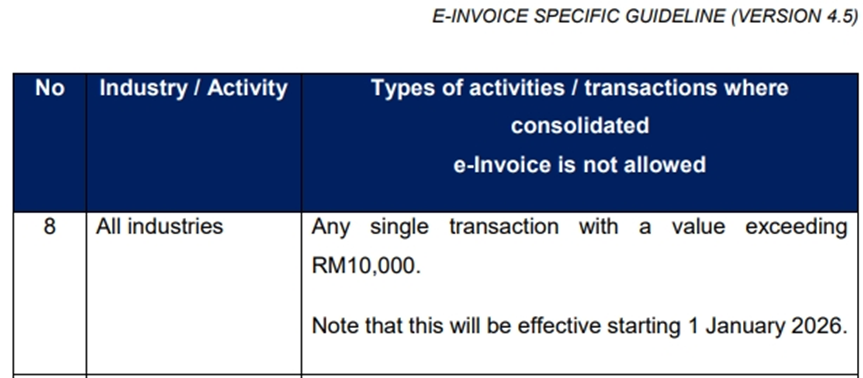
Effective 1 January 2026, all single sales transactions with a total value exceeding RM10,000 must be submitted as an Individual e-Invoice.
This enforcement is implemented to ensure compliance with LHDN e-Invoice regulatory requirements.
Compliance Requirement
Under LHDN guidelines, high-value transactions above RM10,000 are not allowed to be submitted as consolidated e-Invoices.
As such, full buyer information is mandatory for these transactions to enable successful Individual e-Invoice submission.
Settings Location
The setting can be found in Xilnex Portal under:
Url Link:
Integration
1. Malaysia LHDN E-Invoicing
2. E-Invoice Settings
3. E-Invoice Profile Setup
Section: Enforce Buyer Details
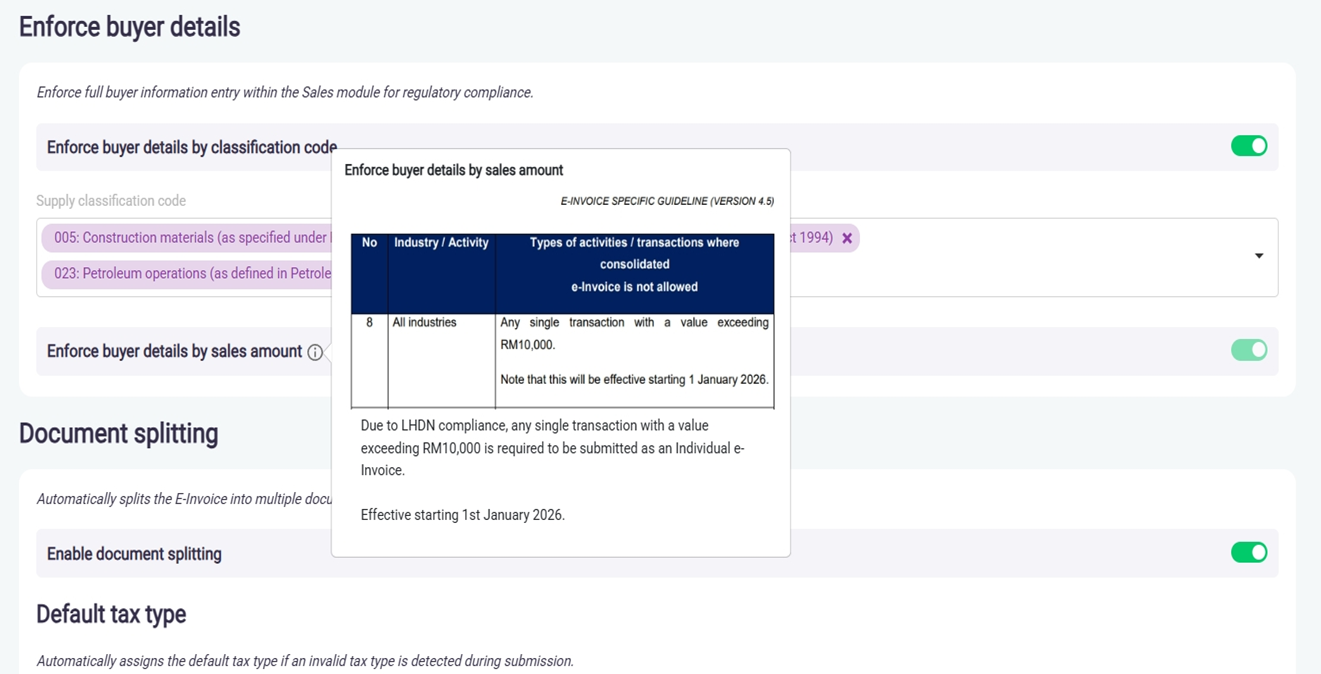
Setting Name: Enforce Buyer Details by Sales Amount
Description
This setting is mandatory when E-Invoice is enabled.
(The setting illustrated above will only serve as a visual indicator and is provided for informational purposes to keep users aware that this functionality exists.)
When enabled, the system will enforce mandatory buyer information for any single sales transaction with a total amount exceeding RM10,000, in accordance with LHDN E-Invoice compliance requirements.
This ensures that such transactions are submitted as Individual E-Invoices, effective 1 January 2026.
Applicable Modules
This validation applies to the following modules:
- Point of Sales
- F&B Point of Sales
- Sales Invoice
- Sales Return
How the Validation Works
- This validation is only applicable when the E-Invoice status is set to Active.
- When E-Invoice is Active and the sales amount exceeds RM10,000, the system will:
- Enforce Individual E-Invoice submission
- Require full buyer information before the sales transaction can proceed.
- If E-Invoice is set to Inactive, this validation will not be triggered, and the system will not enforce buyer details based on sales amount.
Handling the Validation
When this validation is triggered, you may proceed using either of the following methods:
- Update Buyer Info Use the Update Buyer Info option to manually enter the required buyer information.
If the buyer does not have a specific TIN, please use the General TIN as follows:
Malaysian buyer
Use General TIN:EI00000000010together with NRIC / MyTentera details.Foreign buyer
Use General TIN:EI00000000020together with Passport / MyPR / MyKAS details.
- Select Existing Client with TIN Alternatively, select an existing client record that already contains a valid TIN, which will also satisfy the validation requirement.
Once the buyer information is completed, the sales transaction can proceed successfully.
Version and Released
Classic Version:
-
2.16.77200.251217.3
-
2.17.77200.251217.4
Above and Onward.
Release Date: 26 December 2025