How to Create Delivery Type
1. Access to the [System Configuration]
2. Select the [Sales] section
3. In the [All Outlets] tab, look for the 'Delivery Type'
4. Click on the [Configure]
In the Delivery Type Setup form:
1. Enter the Delivery Type.
2. Enter the Charges (optional).
3. Select an Image (optional).
4. Click [Add] to add the delivery type and close the form.
5. Click Save to apply changes.
Enable Delivery Type Selection in F&B POS
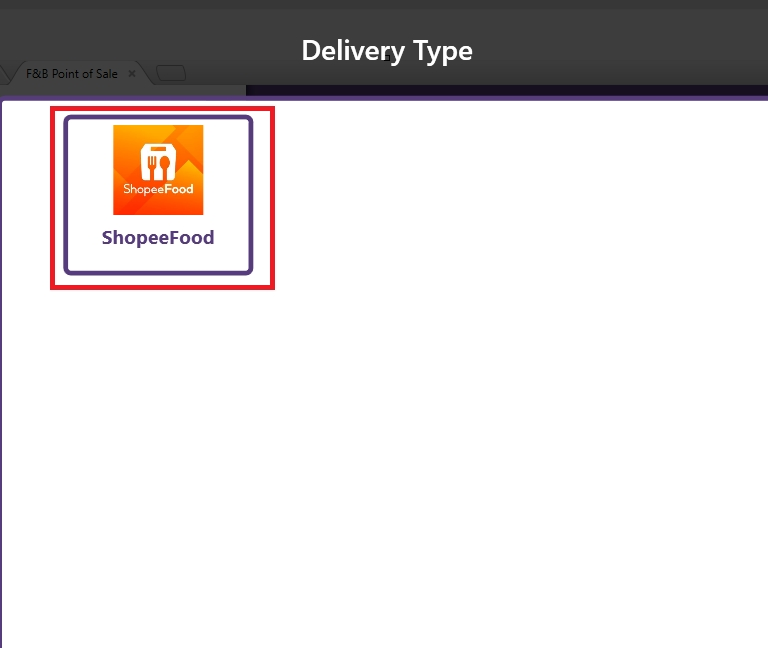
To enable delivery type selection in F&B POS, ensure the ‘Enable Select Delivery Type’ setting is checked.
Result as below
Related Articles
Selecting Delivery Type in F&B POS
Before starting, ensure a delivery type has already been configured. For setup instructions, refer to this article. How to Select a Delivery Type in F&B POS 1. Open the [F&B POS.] 2. Select [Delivery]. 3. A form will appear, displaying all available ...
What is Menu Management in Xilnex Classic POS?
What is Menu Management in Xilnex Classic POS? The Menu Management function provides a centralized and flexible platform to design, organize, and maintain your product catalog across all sales channels. It is built to streamline menu setup, ensure ...
How to Disable Cash Payment in POS
E-wallet growth E-wallet payments are now a primary way customers pay, and many merchants are intentionally moving away from cash to match this shift. In many markets, e-wallet usage has moved from niche to mainstream, with a majority of consumers ...
Enabling Staging Mode in Xilnex Classic
Introduction The Staging Mode function provides a controlled environment for testing, configuration, and validation before applying changes to the live production system. It allows businesses to experiment with settings, workflows, and data without ...
Understanding DuitNow QR Payment in ClassicPOS
Introduction This document introduces the DuitNow QR payment feature available in the Xilnex Retail POS, enabling merchants to accept payments conveniently through Malaysia's national QR payment standard. The integration of DuitNowQR simplifies the ...